
Apex Legends Freezes My PC: 2025 Update Solutions
Apex Legends system freezes post-update, causing PC crashes; explore causes, troubleshooting, and community workarounds to resolve this urgent gaming issue.
The gaming community has been buzzing with frustration as many players report that Apex Legends freezes their PCs completely, requiring hard resets and causing significant interruptions to gameplay. This issue has become particularly prevalent following the June 3rd, 2025 update, leaving many players unable to enjoy one of the most popular battle royale games on the market.
Recent Update Causing System-Wide Freezes
Since the latest update released on June 3rd, 2025, numerous players have reported that Apex Legends freezes their entire PC after just 5-10 minutes of gameplay. Unlike typical game crashes where only the application closes, these freezes affect the entire system, forcing players to perform hard resets of their computers.
"It's literally impossible to play Apex Legends right now without hard resetting everything," reported one frustrated player on the EA Forums. "I've already tried to uninstall, reinstall, and repair the game but no luck — it keeps freezing my PC."

Not Just a New Problem
Interestingly, while the recent update has exacerbated the issue, system freezes have been a recurring problem for some Apex Legends players over the years. The nature of these freezes is particularly troublesome - they completely lock up the entire system rather than just crashing the game.
One player described the experience: "When Apex Legends freezes my PC, everything locks up. I can still hear my friends on Discord for roughly 5 seconds or until I try to move my mouse or click on my keyboard. Then it instantly freezes completely, and I'm forced to restart my PC."
This pattern suggests the issue might be related to how the game interacts with system resources rather than simple application instability.
Common Symptoms of the Problem
Players experiencing this issue report several consistent patterns:
-
The game runs normally for 5-10 minutes before freezing
-
The entire PC becomes unresponsive, not just the game
-
Audio may continue briefly after the visual freeze
-
Input devices (mouse/keyboard) either stop working or trigger the complete system lockup
-
A hard reset is the only solution to recover system functionality
Potential Causes and Troubleshooting
While EA has not yet released an official fix for the recent wave of freezes, technical analysis suggests several possible causes:
1. Graphics Driver Issues
The most common culprit in game-related system freezes is outdated or incompatible graphics drivers. Even players with high-end systems like RTX 2080Ti cards have reported these freezes, indicating the issue isn't limited to lower-end hardware.
Solution: Download and install the latest graphics drivers directly from NVIDIA or AMD websites rather than relying on automatic updates.
2. System Overheating
Apex Legends can be demanding on both CPU and GPU resources, potentially causing thermal issues that lead to system protection mechanisms triggering a freeze.
Solution: Monitor your system temperatures using tools like HWMonitor or MSI Afterburner, ensure proper case ventilation, and consider cleaning dust from components.
3. Memory Management Problems
Some players have found success by adjusting how the game utilizes system memory.
Solution: Try launching the game with the "-high" command line argument to give it high priority, or "-malloc=system" to change memory allocation methods.
4. Game File Integrity
Corrupted game files following an update can lead to unexpected behavior.
Solution: Beyond the standard repair option in Origin/EA App, try completely removing the game (including configuration files in Documents folder) before reinstalling.
Community Workarounds
While waiting for an official fix from Respawn Entertainment, the Apex Legends community has developed several workarounds that have helped some players:
-
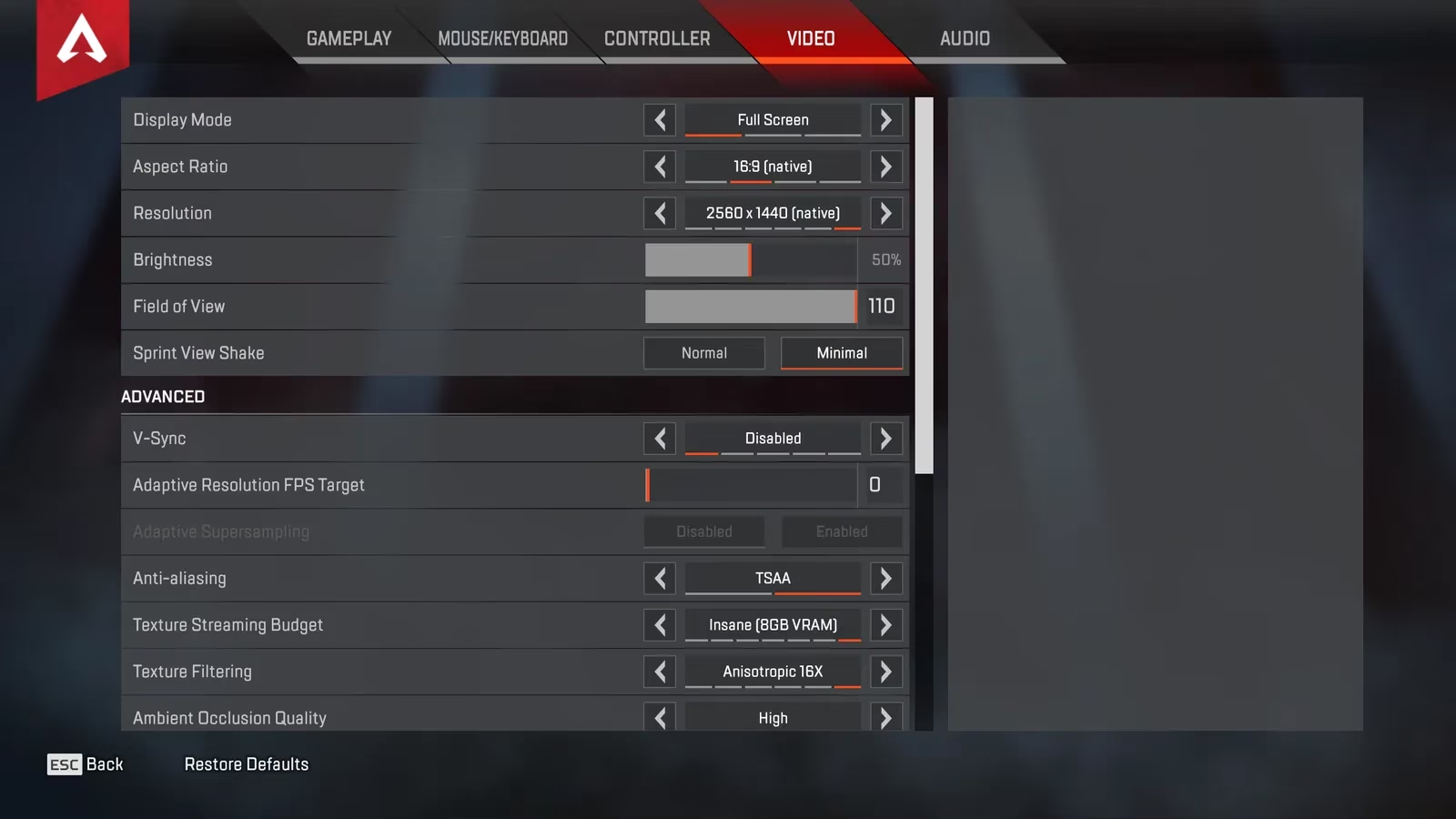
Limit FPS: Setting a frame rate cap below your monitor's refresh rate has helped stabilize the game for some players
-
Disable Overlays: Turn off Discord overlay, GeForce Experience overlay, and other third-party applications that interact with the game
-
Run as Administrator: Launching the game with elevated permissions has resolved freezing for some users
-
Disable Full-Screen Optimizations: Right-click the game executable, go to Properties > Compatibility and check "Disable fullscreen optimizations"
When Will It Be Fixed?
As of late June 2025, Respawn Entertainment has acknowledged the issue on their official Twitter account, stating they are "investigating reports of system freezes following the latest update." They recommend players submit detailed system information through EA's Help portal to assist in diagnosing the problem.
Have you experienced the frustrating situation where Apex Legends freezes your PC? What troubleshooting steps have you tried? The community continues to share experiences and solutions while waiting for an official fix from the developers.
Until then, players may need to implement these workarounds or temporarily switch to alternative games to avoid the headache of constant system resets and potential data loss from unexpected shutdowns.